
Log Spector
Log Spector is a log beautifier that runs entirely in your browser. You paste in raw logs and get them back highlighted and readable. It runs locally, so nothing leaves your machine.
Copying logs into my editor, again
I kept hitting the same annoyance while debugging across different stacks. To actually read the logs I'd copy them out of whatever app I was in and paste them into my editor, just to get legible output. Stack traces and nested JSON just blend into the noise in a raw dump. Most log viewers either want a server or a full install.
I'm a sucker for reducing cognitive load, so I wanted something that takes a paste and makes it readable. So that is what it does:
- Detects the log format automatically and highlights log levels, timestamps, modules, and stack traces.
- Runs fully client-side, so your logs never leave the browser. I can paste production logs without thinking twice about it.
- Filters by log level, searches free text, and hides the components you don't care about.
- Handles large files without choking, on any screen size, in dark or light mode.
Getting started
Log Spector lives at logspector.vhco.pro.
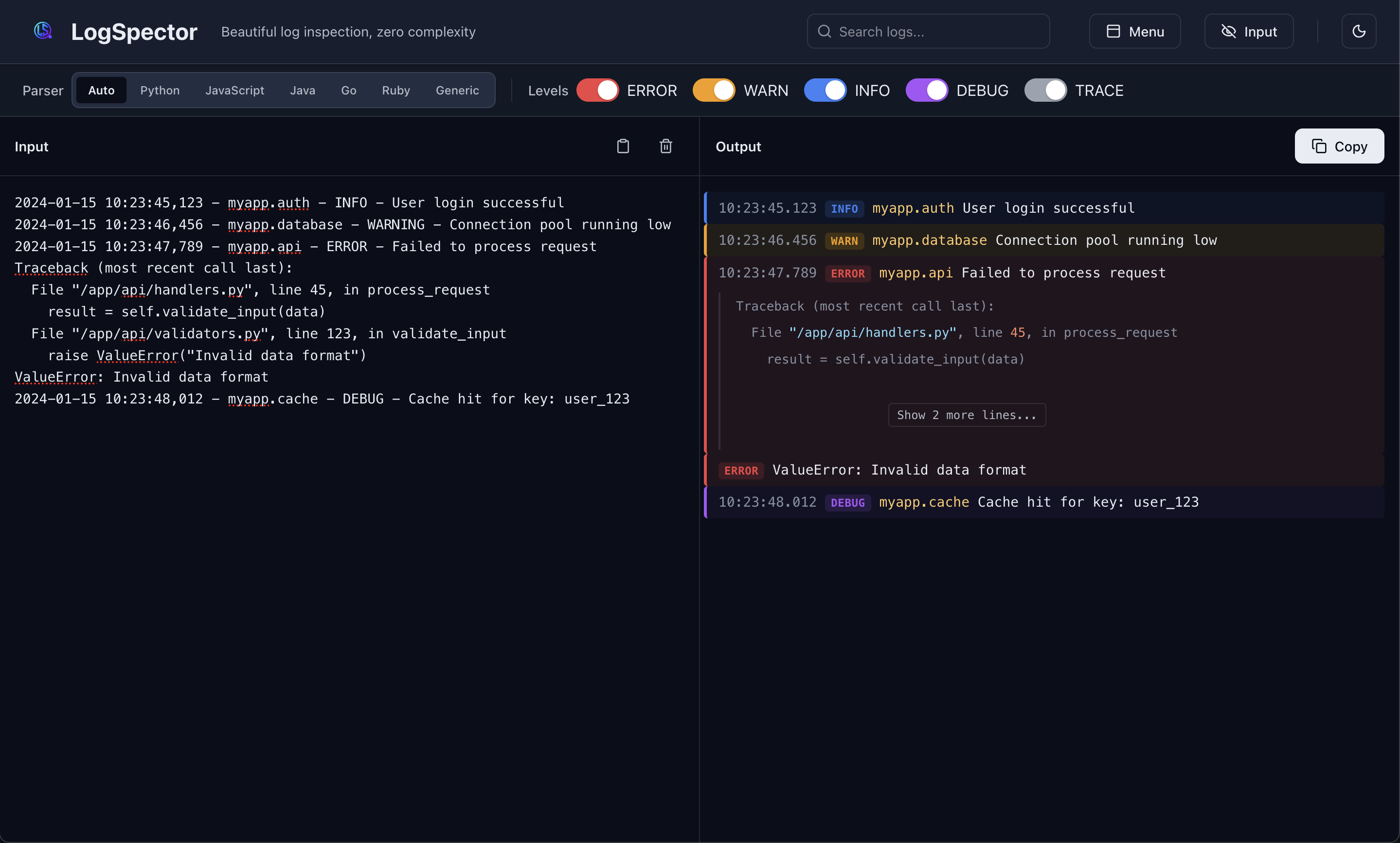
Open it, paste your logs into the Input panel, and the formatted result shows up in the Output panel.
- Paste logs into the Input panel.
- Read the formatted output on the right.
- Filter by level or search for text to cut the noise.
- Hit Copy to grab the formatted logs.
Supported log formats
| Language | Detected formats |
|---|---|
| Python | logging (standard library), loguru, structlog |
| JavaScript / Node.js | winston, pino, bunyan, console logs |
| Other | JSON (any format), generic text with timestamps, syslog |